Work brings it all together: a 3D office, everyone's presence, meeting rooms with video and transcripts, team chat and notifications. On the web, Mac, Windows, iPhone and iPad.
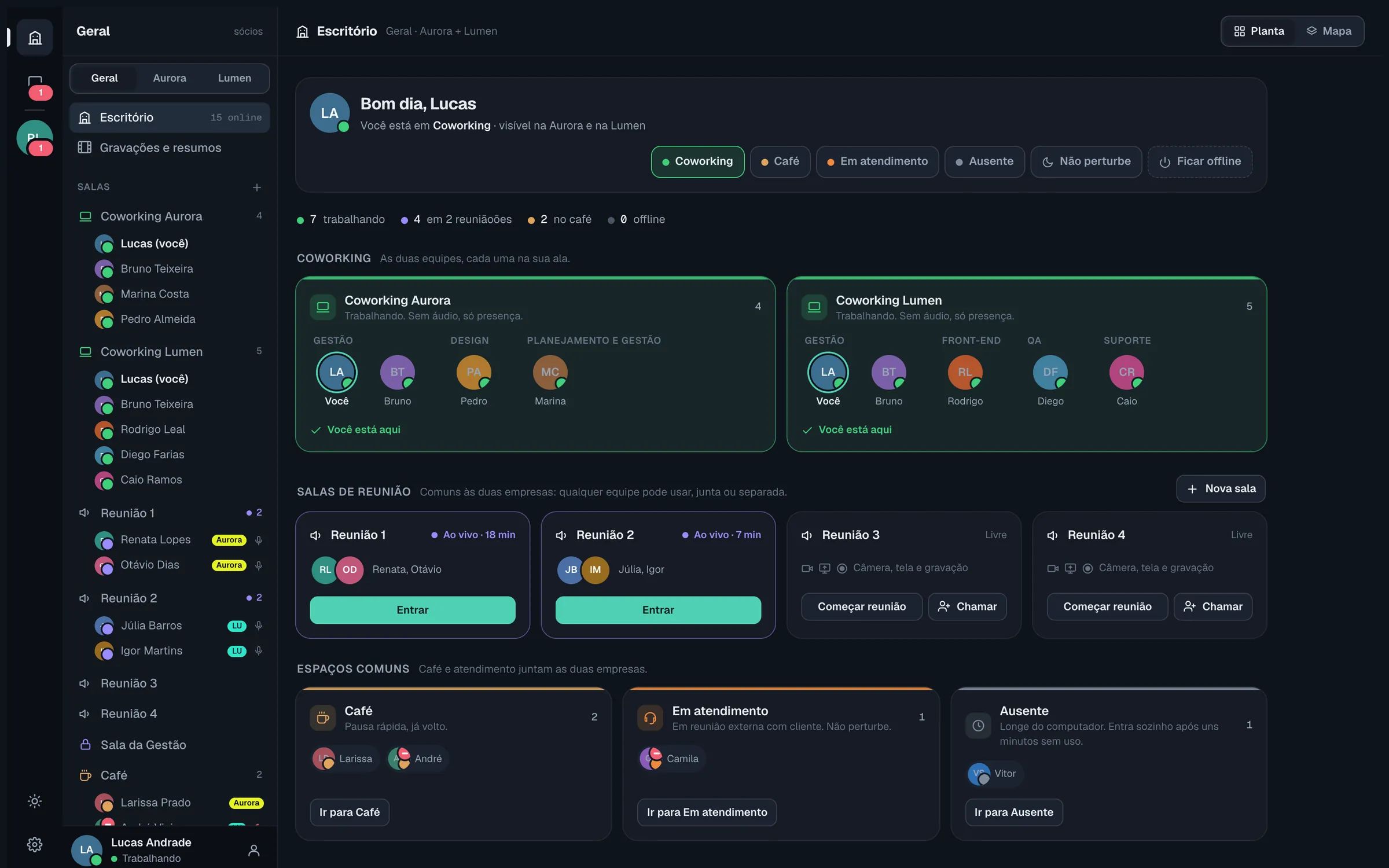
Everyone where they work best. All together.
At home, at a café or at the office: Work shows who's around and keeps every conversation one click away. No meeting links, no "got a minute?" lost in the chat.
 You're in Coworking · 6 people nearby
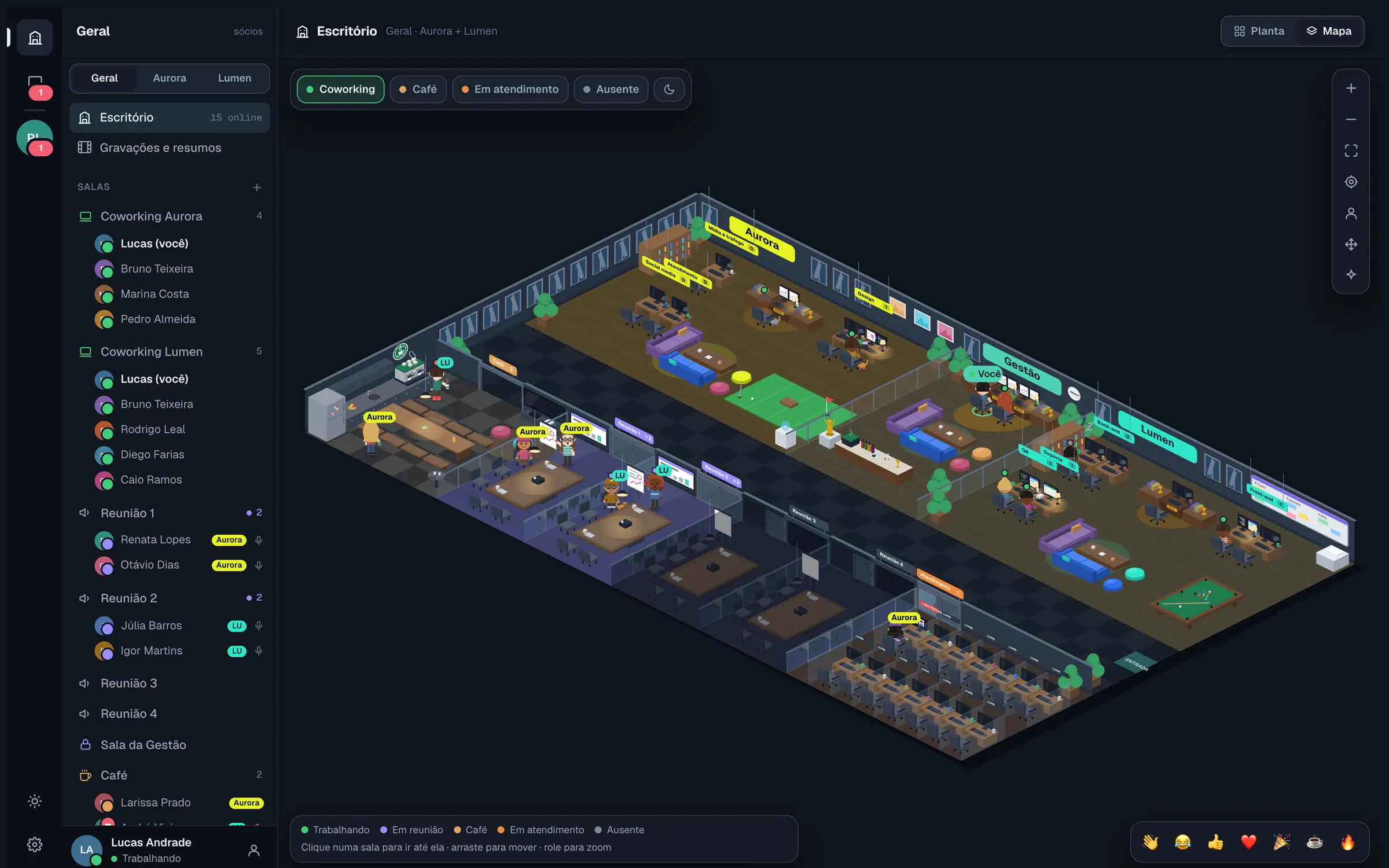
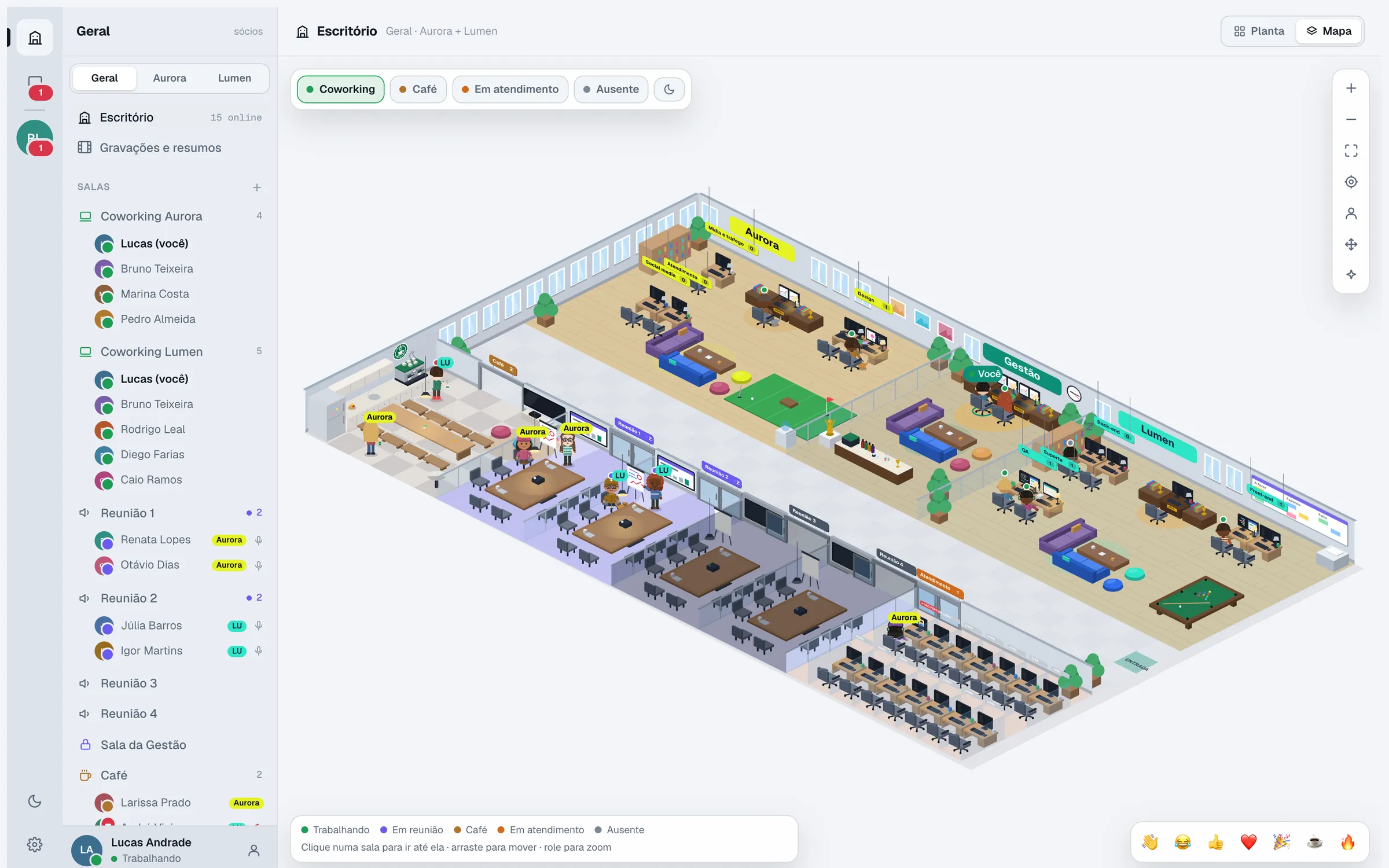
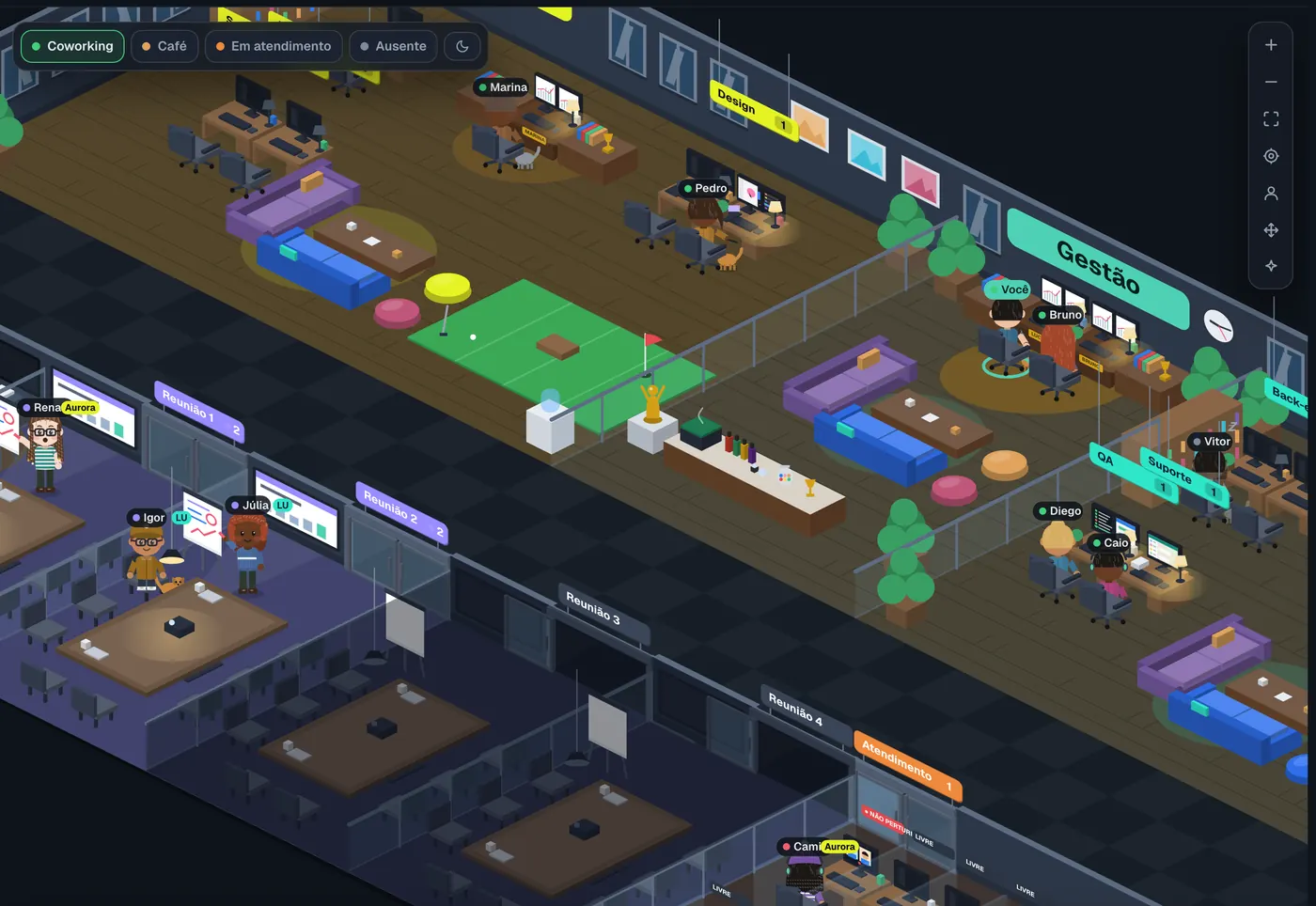
A real office. Just in 3D.
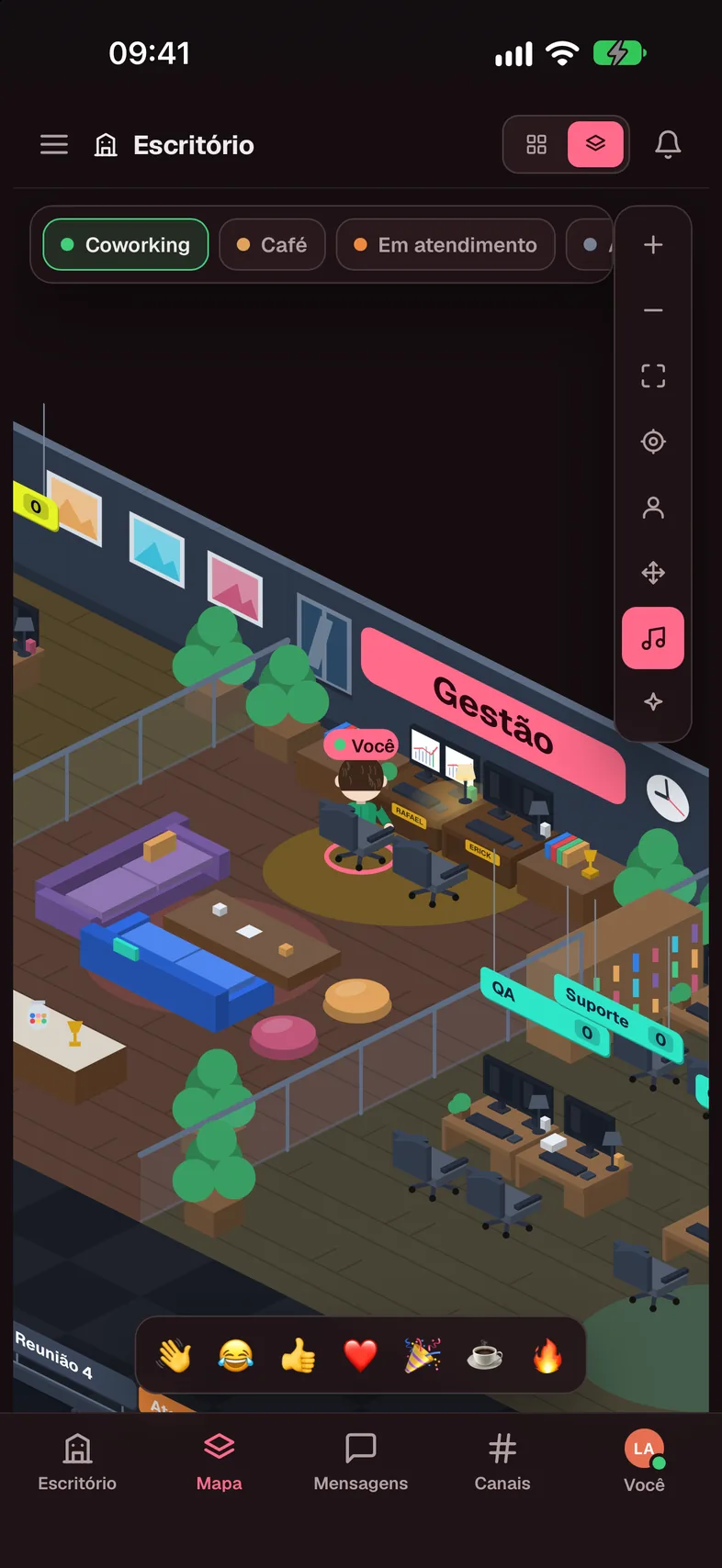
Team desks, meeting rooms, a café, sofas and a pool table. Everyone is an avatar wherever they are right now, and the map moves live.
Who's at each desk, room and the café, live. Click a room to go there.
Rooms with a door
Empty room? Just walk in. People inside? You knock and someone lets you in. Nobody gets interrupted by surprise.
 Bruno is at the doorLet inNot now
The team café
Quick break? Head to the Café: everyone sees it, starts a chat and grabs a drink from the machine, which shows up in the avatar's hand.
Games on the break
18-hole mini golf, 6-level pool, penalties and target shooting on the Café's video game. With leaderboards and one-on-one duels.
Achievements
Hole in one, clean table, first meeting, a hundred messages. Each achievement unlocks a new costume or accessory.
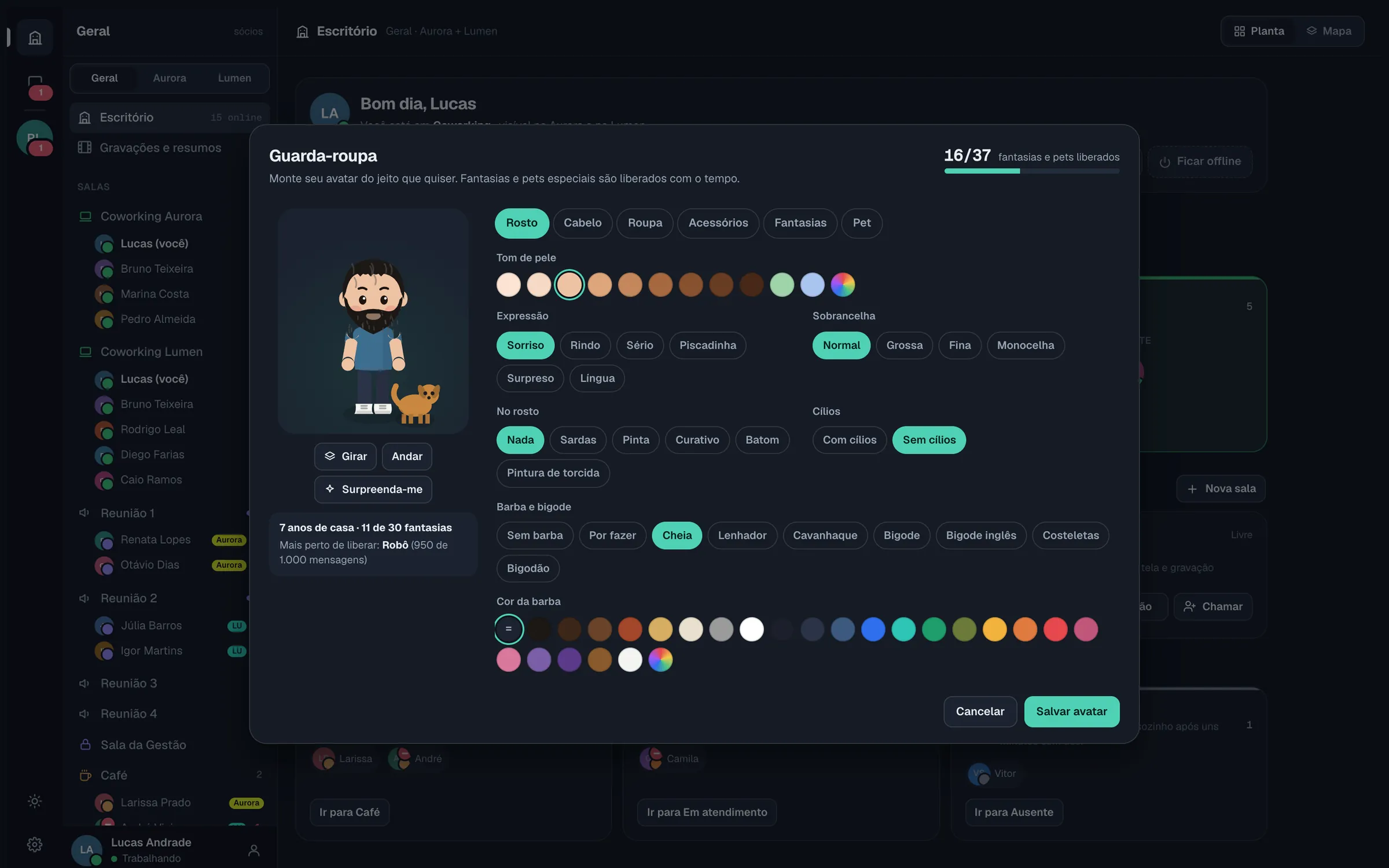
An avatar that looks like you
Build your avatar and pick a pet. Costumes come with time at the company, on special dates and with achievements.
Dates the team remembers
On someone's birthday or work anniversary, a confetti notice shows up for everyone, and all avatars get party hats.

Breaks belong to the team too.
A pool duel, a mini golf leaderboard, a sticker in the chat. That's what makes a remote team feel like a team.
 Marina · CoworkingBruno · Room 1
 Camila · Café
Who's online, where, and doing what.
One tap changes your place. The team knows if they can call you now, without asking.

 RodrigoWith a client
Synced calendar
Client meeting on your Google or Outlook calendar? When it starts, you move to With a client on your own. When it ends, Work asks if the meeting is over, instead of pulling you out mid-conversation.
Away, without remembering to set it
Went to lunch and forgot to say so? Your status switches to Away and goes back to where you were when you return.
Wave
A quick hello that doesn't interrupt: the person gets a notification with a sound and replies when they can.
Knock. Walk in. Leave with the minutes.
Voice, camera and screen in rooms that are always there. Turn on transcription with one tap and the minutes are ready at the end.
Call or knock
Invites ring loud and keep ringing until the person answers, because so many people work with headphones on. Arriving at a busy meeting? Knock on the door.
Talk with screen and camera
Share your screen or a single window, spotlight it, pop it out to another monitor. Background blur and microphone noise reduction.
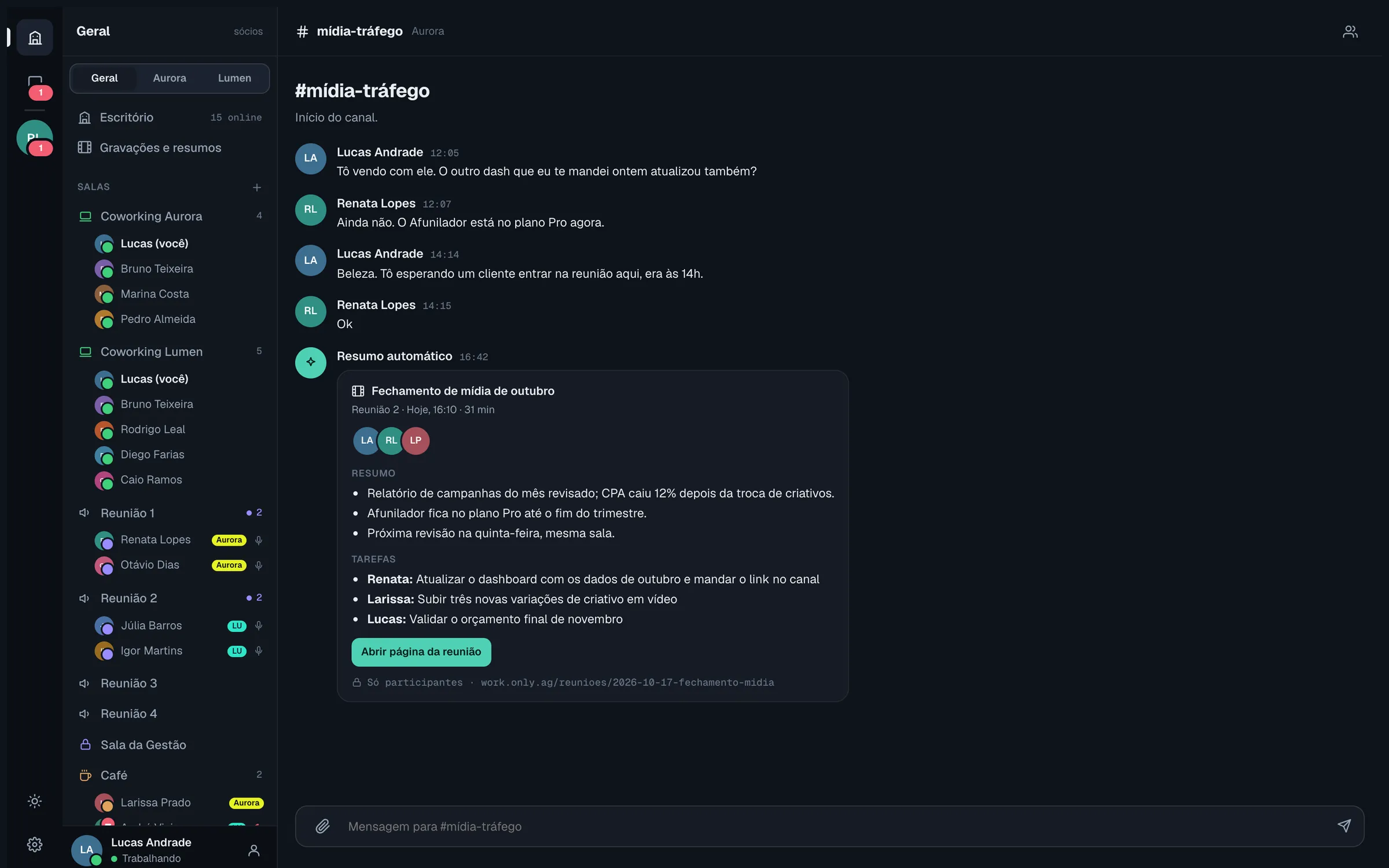
Leave with the minutes ready
With transcription on, AI drafts the minutes with a summary, decisions and tasks. Someone who was there reviews and publishes them.
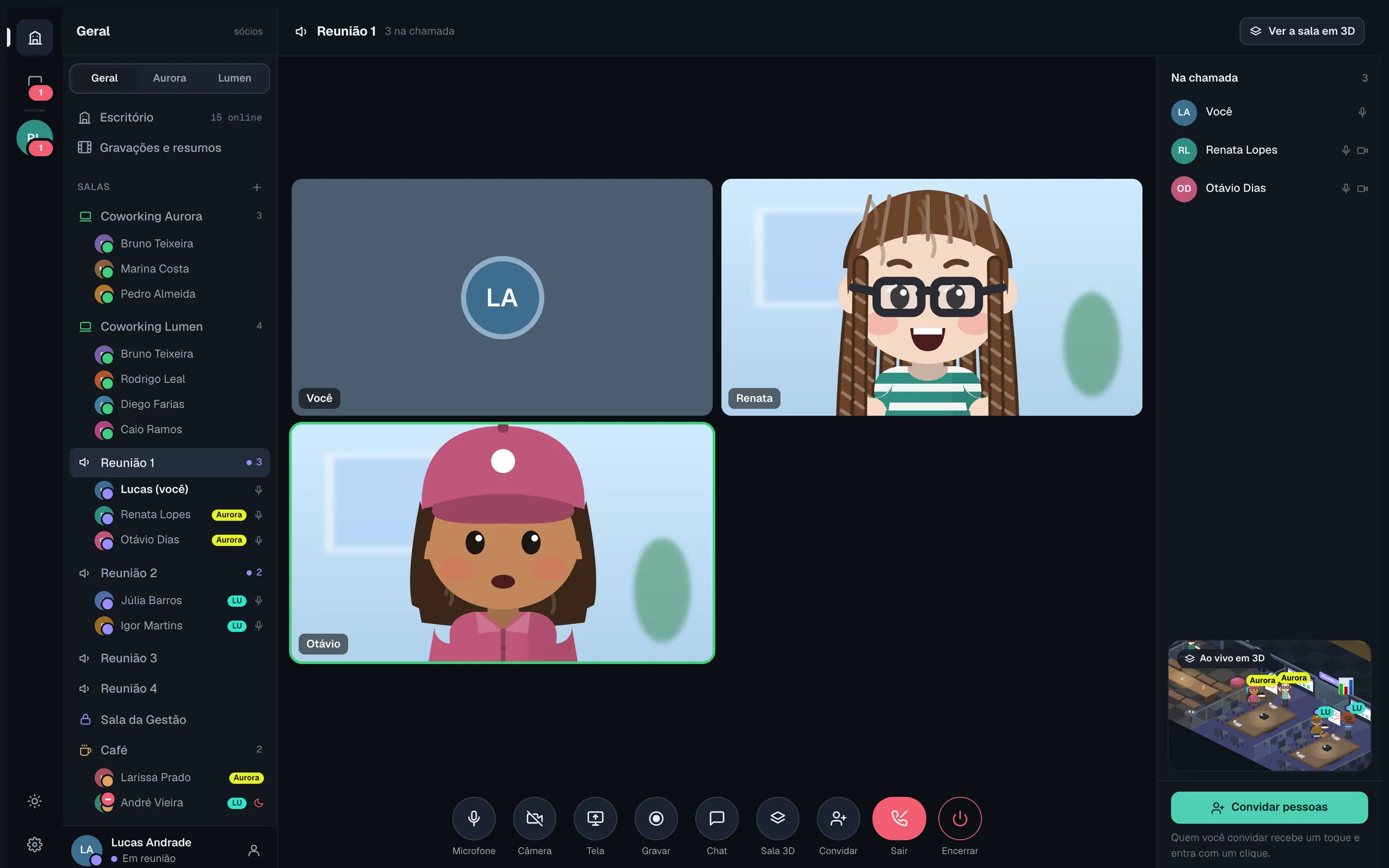
One-tap transcription
Anyone in the room can turn transcription on, with a notice on screen. People who join midway only see what they heard. Work doesn't store meeting audio.
Invites nobody misses
Called and no answer within a minute? It becomes a missed call in the chat, with a button to open the room.
 Rodrigo is callingto Room 3DeclineAnswer
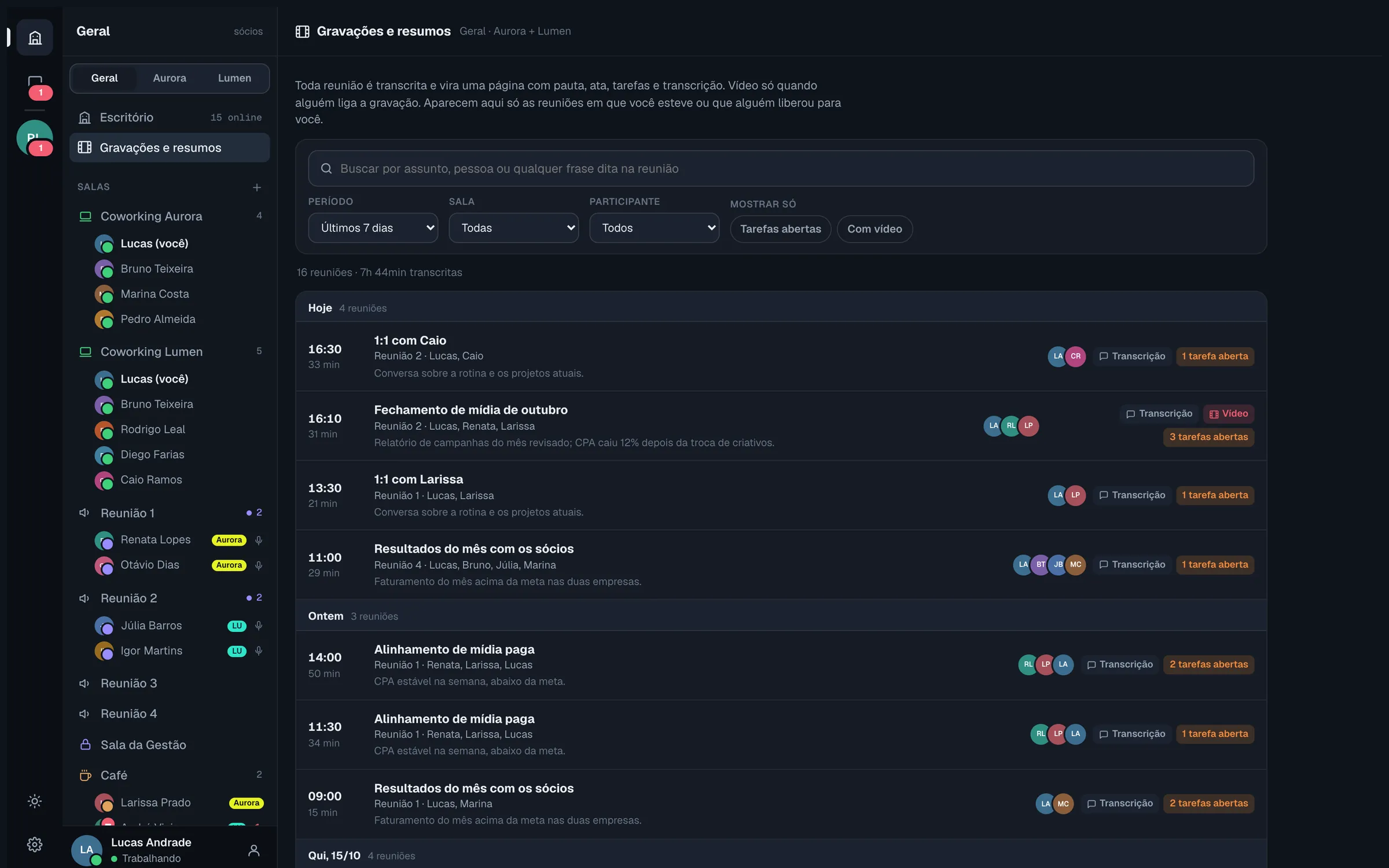
Saved meetings and minutes
Every transcribed meeting becomes a page with the summary, decisions, tasks and transcript, searchable by any sentence said. Only people who were there can open it.

Remote, hybrid or in person. Same room.
People at the office join on the room screen; people at home, on their laptop; people on the go, on their iPhone. Everyone in the same conversation, with the same transcript.
Team chat, with everything it needs.
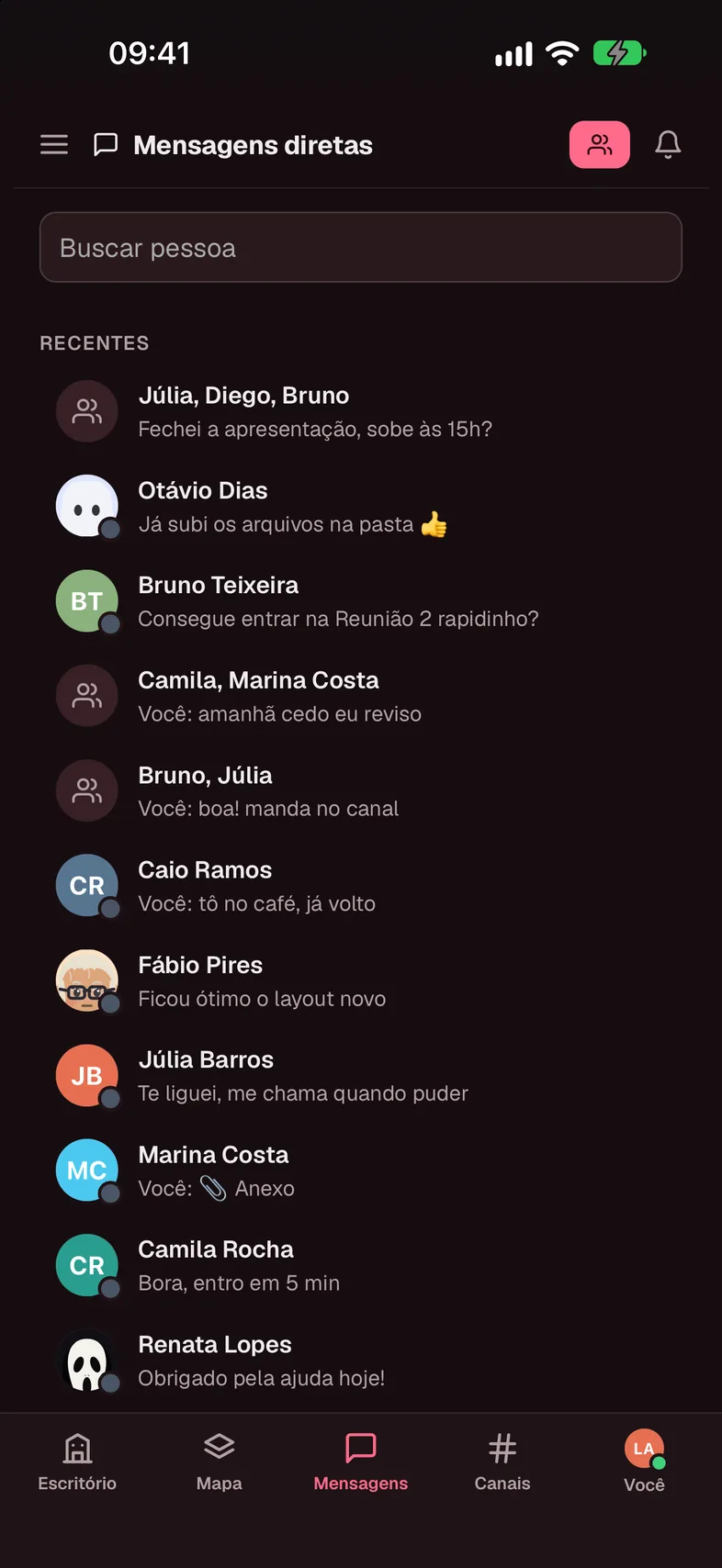
Team channels, direct and group messages, mentions, polls, voice messages, GIFs and stickers. And a meeting one click away from any conversation.
Polls
Ask and decide right there: 2 to 10 options, single or multiple choice, with live results.
Mentions that get through
Tag @someone, @everyone or the whole team. Whoever's tagged gets notified, even with Work closed.
Camila · #design@Bruno I uploaded three versions of the banner, can you pick one?
BrunoThe second one. Looks great 🔥
Rodrigo is typing…
Rodrigo · #design@everyone client presentation on Friday at 10am.
Channels, groups and notes
Open or private channels, a read-only announcements board, groups and a notepad with tasks that's just yours.
On Mac, Windows, iPhone and iPad.
On iPhone, Work rings like a real phone call: answer from the lock screen and stay in the meeting with the screen off, another app open or over your car's Bluetooth.

Stepped away from your desk? The meeting comes along.
Answer the invite from your iPhone's lock screen and keep talking on the way, just like a phone call.
Notifications at the right time.
Knocks, invites, mentions, messages, waves and missed calls reach your computer and phone, even with Work closed. If you're already looking at your computer, your phone stays quiet.
How notifications work →Built for the team to trust.
Everything in its place
Accounts are created by the company itself, with no open sign-up. Each company sees its own team, and direct messages belong only to the people in them. Meetings and minutes open only for those who took part.
- Work doesn't store meeting audio
- Transcription with a visible notice in the room
- Video only when someone starts recording
- Data stored in Brazil, in São Paulo
Open help center
A step-by-step manual for every screen in Work, with search. Open to anyone, even before signing in.
How do I knock on a room's door?↵Open the help center (Portuguese) →Bring your team to Work.
Tell us how your team works today. We'll show you Work in action and set up your office.